HiveMind AI
Overview
HiveMind is an AI-driven platform designed to capture and recall contextual information from meetings and conversations.
When I joined the project in October, the team had developers and AI engineers working on functionality, but no UX or UI design to guide what the product should look or feel like.
My role was to design a series of concept screens that could be shown to investors and potential users, helping them visualize how HiveMind might work once fully built. Using the existing brand, I created screens for the chat interface, daily agenda, meeting timeline, and meeting transcriber.
Research
I started by looking at competitors to understand how other AI collaboration and productivity tools handled chat, notes, and meetings. This helped me spot patterns worth keeping and gaps worth improving.
Next, I met with stakeholders to clarify what they wanted HiveMind to become, and with AI engineers to understand what they had already built.
By this point, HiveMind already had strong recording capabilities — the AI could store and recall transcripts from meetings and conversations to build a “contextually accurate hivemind.”
Define
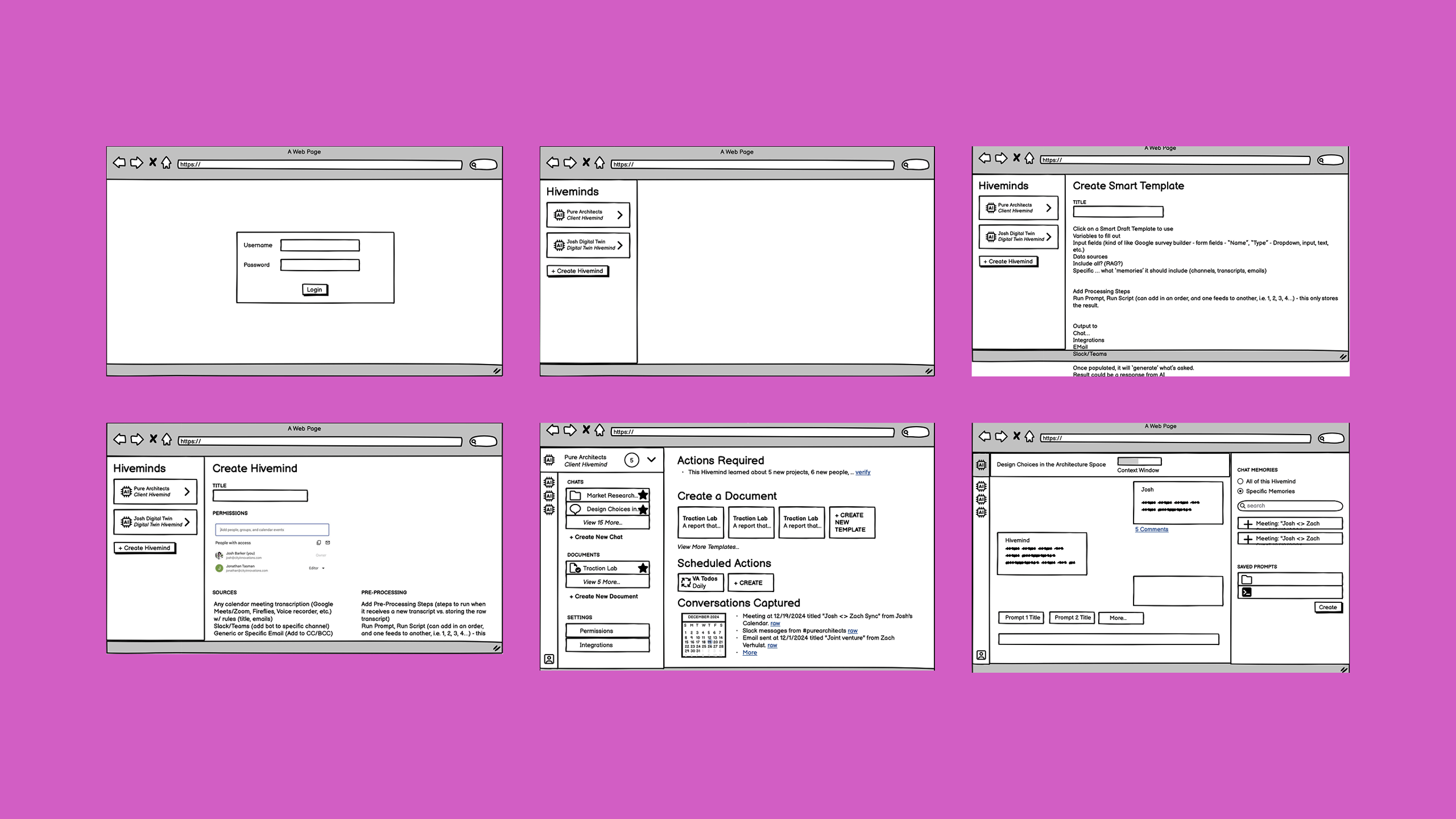
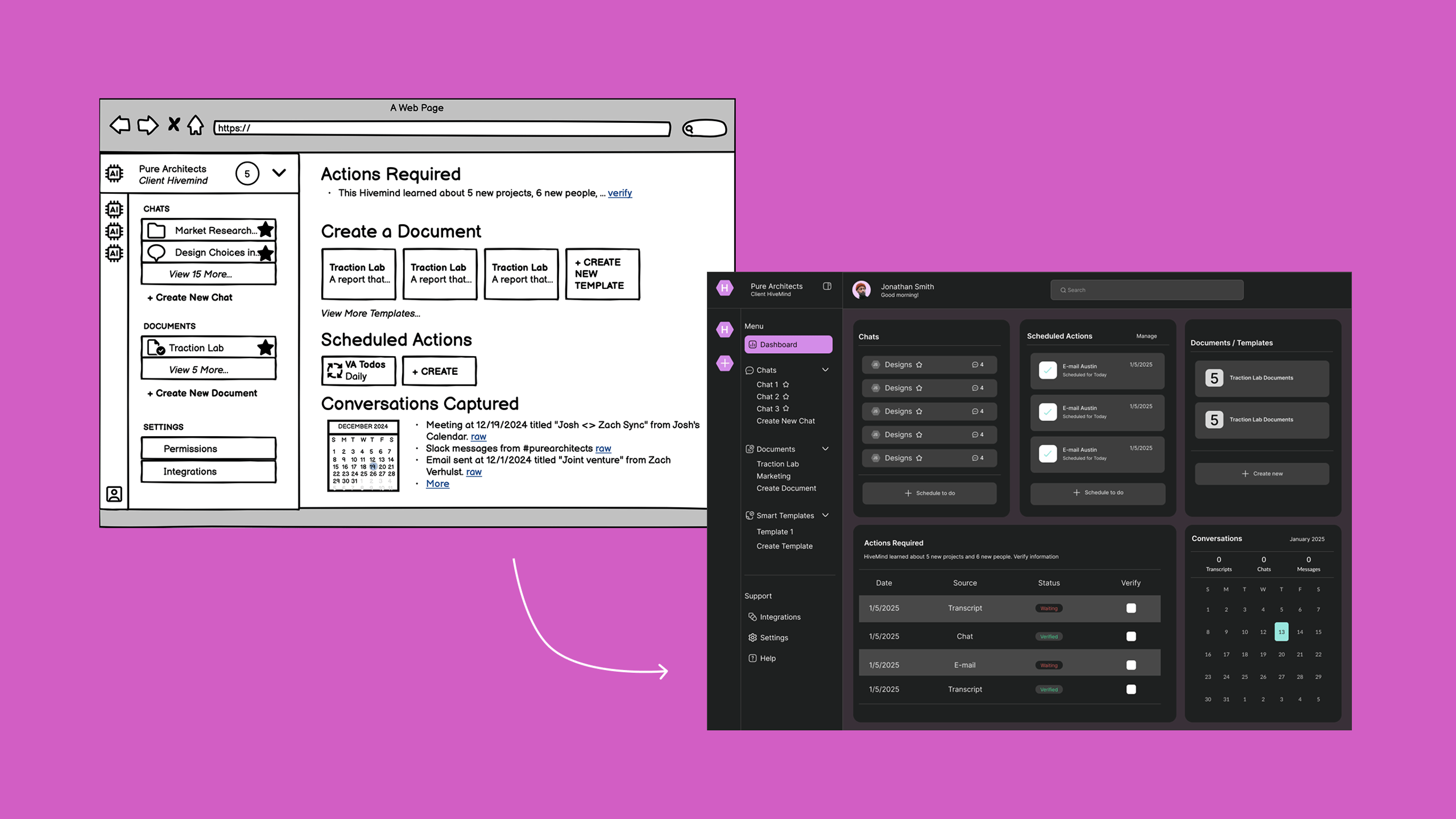
From those conversations, it became clear that HiveMind needed structure around its AI capabilities. I proposed that each “Hivemind” function like a project space, where users could keep multiple chats, recordings, and transcripts organized.
Within each Hivemind, users could have open conversations both with the AI and with other team members, all referencing the same shared context.
This idea set the foundation for the dashboard and information hierarchy.
Design
I originally started with a dashboard concept to help organize the large amount of data that would eventually be stored in the platform. After reviewing the design with stakeholders, we realized that a dashboard might be overwhelming for new users who wouldn’t have any data yet.
Collaboration & Build
Throughout the process, I worked closely with engineers who were integrating HiveMind with email and Slack, making sure my designs could adapt to those use cases later on.
My focus was on making the interface clean, minimal, and intuitive, so that even in its early concept stage, HiveMind looked professional and ready for investor demos.
Design
The design process moved quickly from research to refined screens. Each phase built on what came before, with stakeholder feedback shaping the direction at every turn.
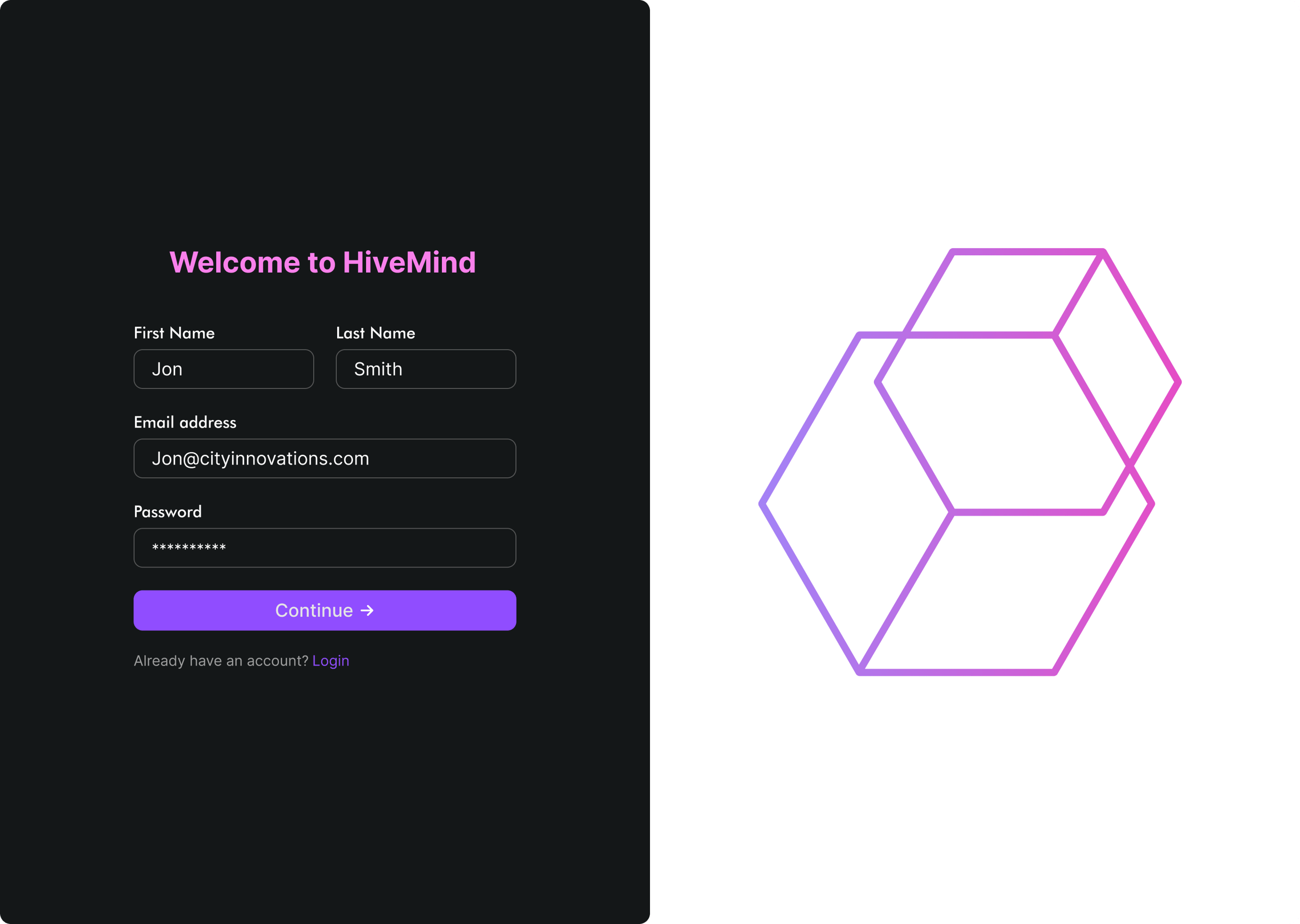
Login into Hivemind
A clean, welcoming onboarding screen that makes it easy for new users to set up an account and jump straight into Hivemind.
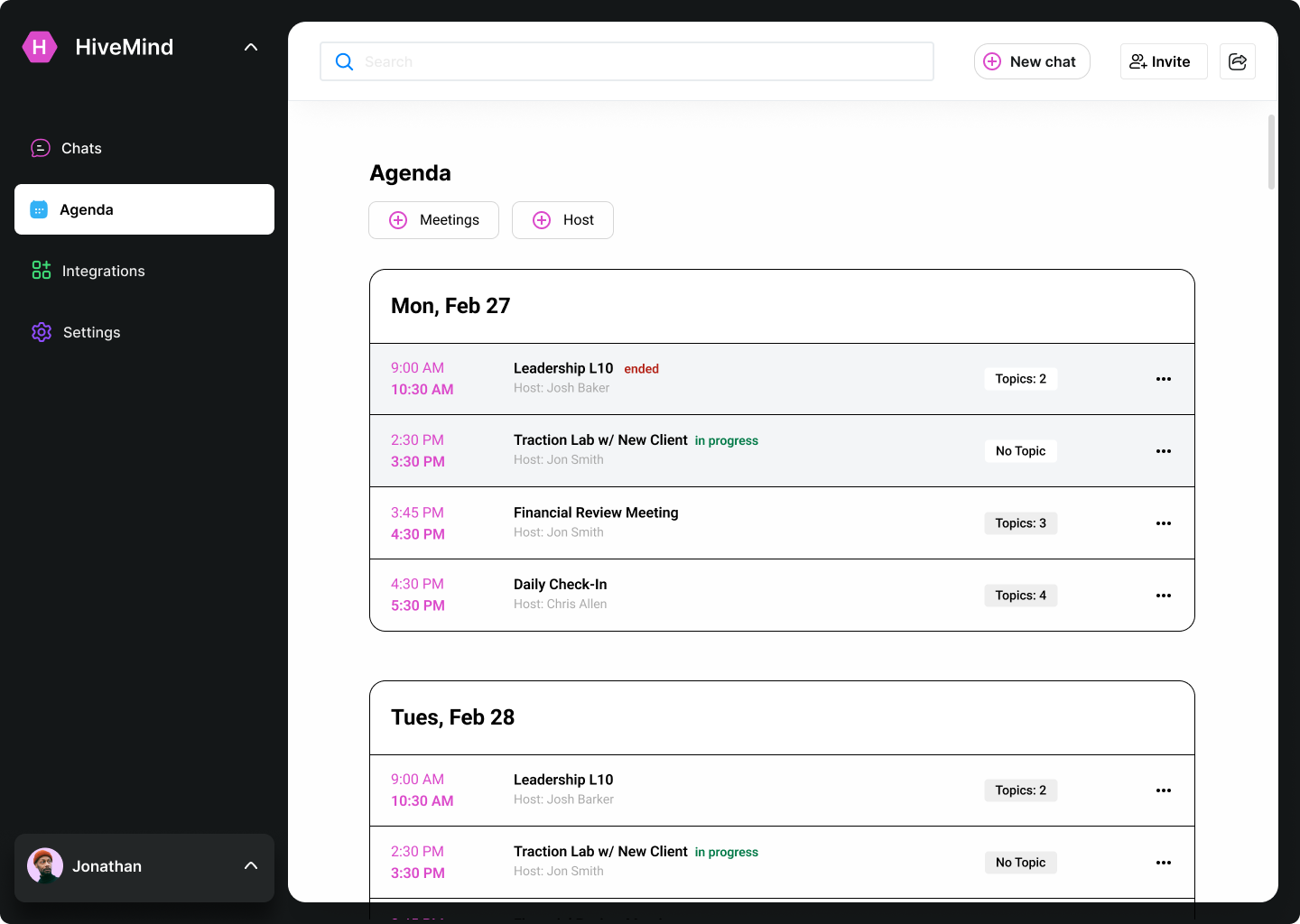
Agenda & Meetings view
I built an agenda view that organizes meetings by date and time, showing status, hosts, and topics so users can stay on track throughout their day.
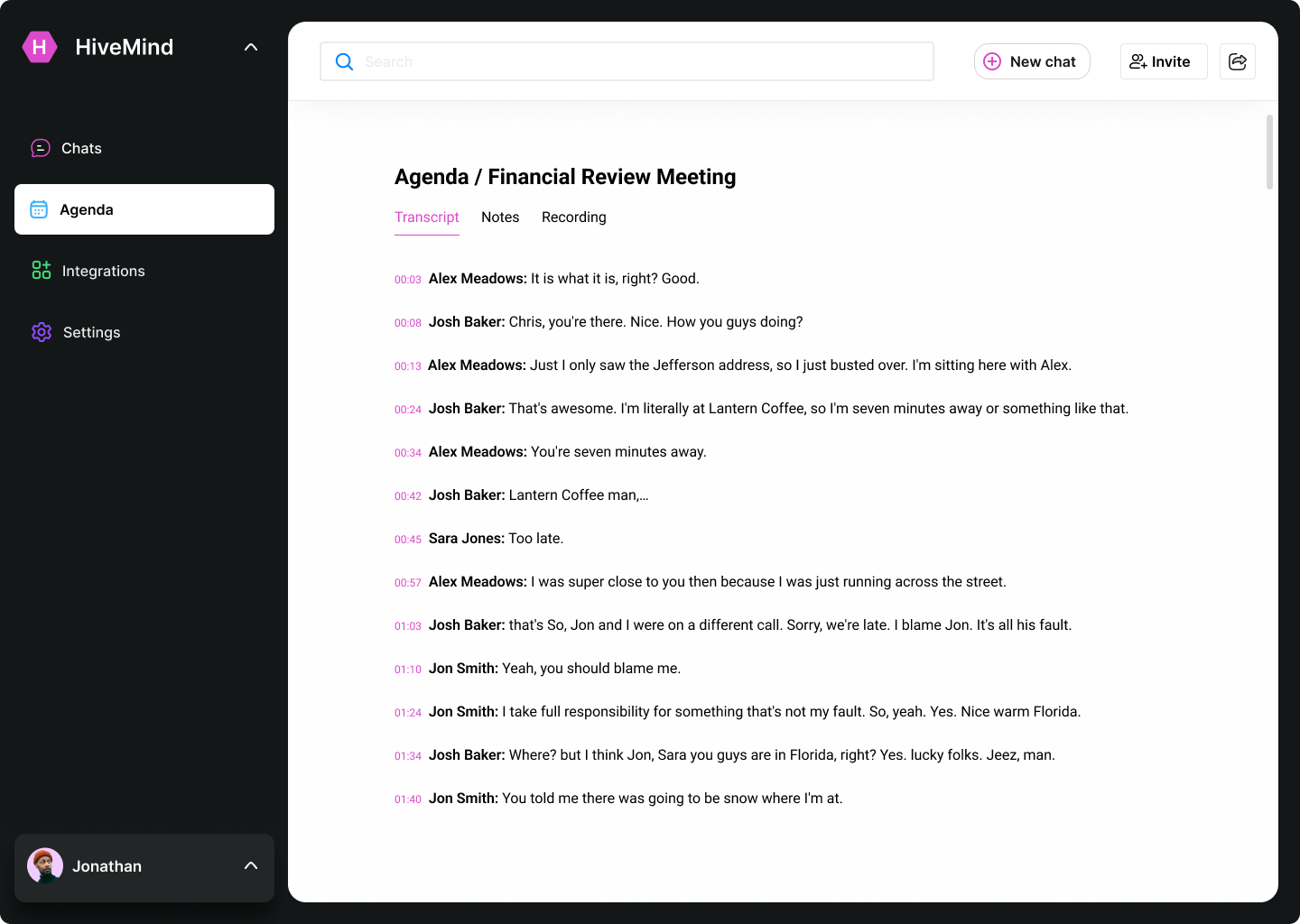
Meeting transcriber
I designed a real-time meeting transcript view that captures who said what and when, making it easy to review, reference, and pull insights from meetings.
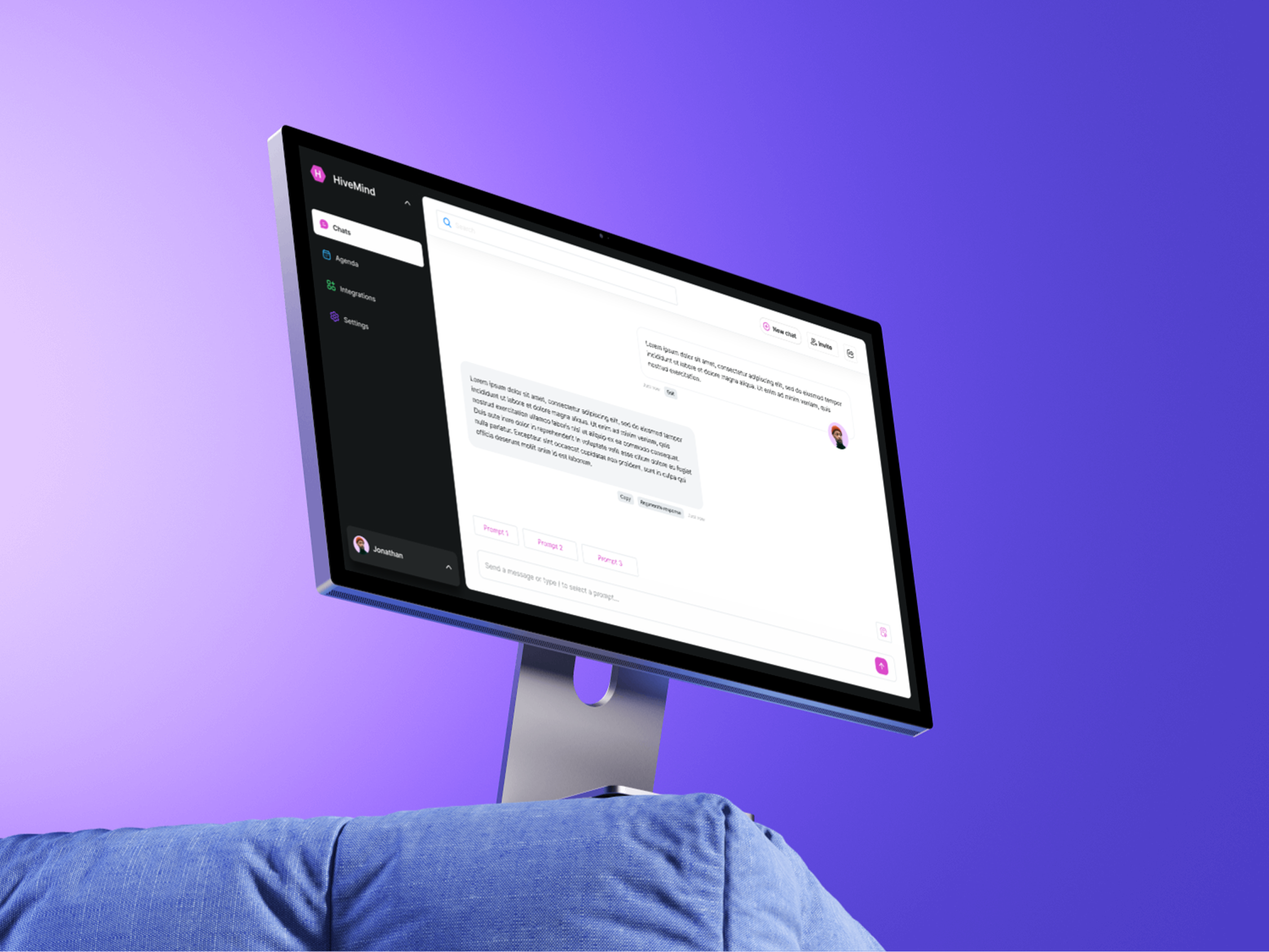
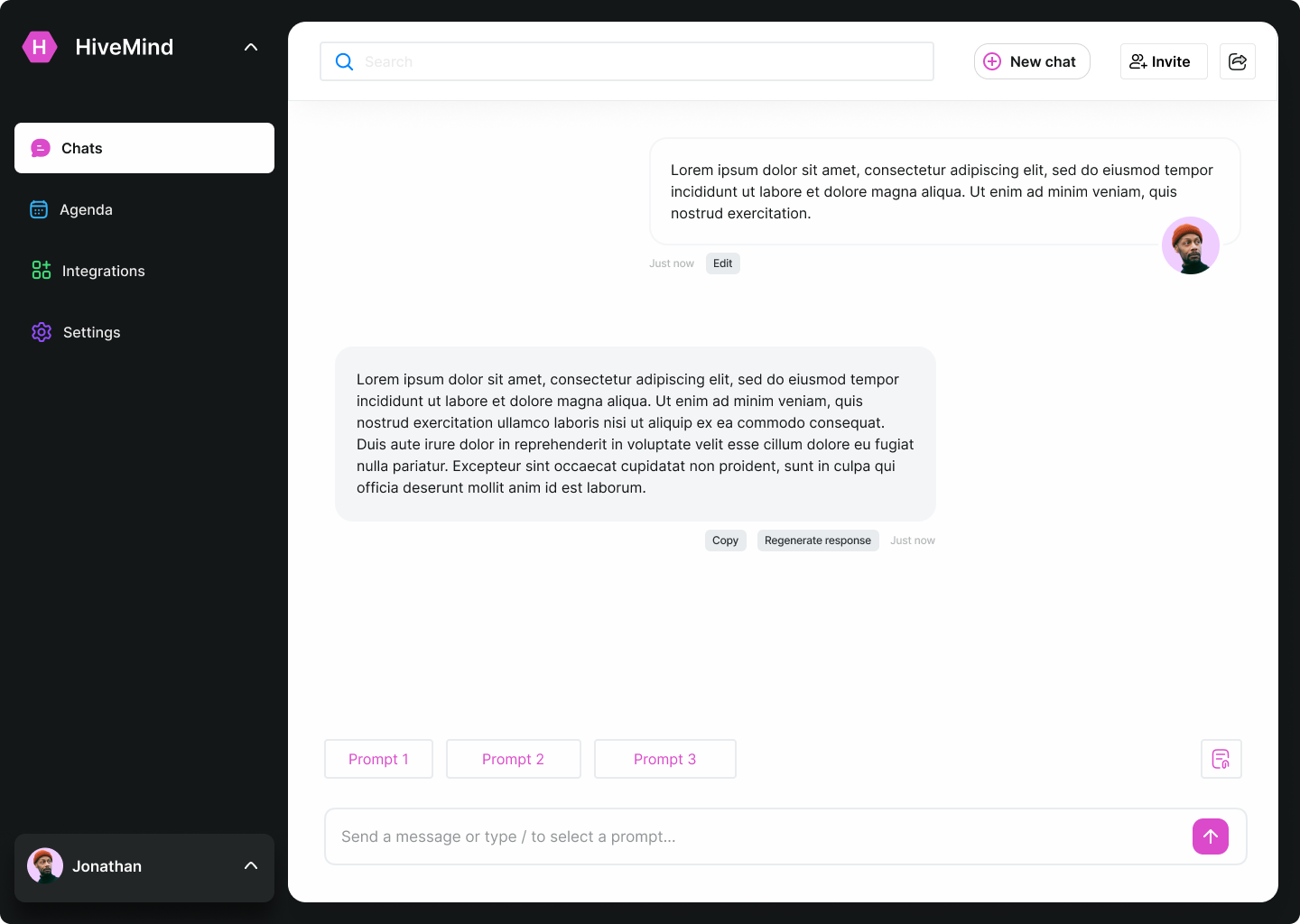
AI Chat Workspace
A chat interface that lets users interact with AI, quickly edit or regenerate outputs, and reuse prompts to speed up everyday work.
Outcome
By January, I delivered a full set of high-fidelity screens that clearly visualized HiveMind’s core features and future potential.
These concept designs helped the team communicate the product vision to investors, align engineers around the user experience, and set a visual direction for development.
The work served as a foundation for HiveMind’s next phase — transforming its raw AI capabilities into an organized, user-centered platform.